
AI Passport Photo Generator: Which Countries Are Supported?
You need a passport photo. You already know how this goes.
Option A: Drive to Walgreens. Stand in front of a blue curtain that's seen better days. A teenage employee who'd rather be anywhere else snaps two photos with a point-and-shoot from 2014. You look vaguely startled in both. $14.99.
Option B: The CVS self-service kiosk. You contort yourself to fit inside the frame. The flash turns your skin fluorescent. You look like you're being processed into witness protection. $16.99.
Option C: One of those passport photo booths at the mall. It smells faintly of hand sanitizer. The lighting is aggressive. You get four copies of the same haunted expression. $10-15, depending on the machine's mood.
I once got my passport photo rejected because of a shadow under my chin. Not a dramatic shadow -- a slight one, barely visible to the naked eye. The clerk at the post office pointed at it like she'd found evidence at a crime scene. Drove back to Walgreens. Another $14.99, gone. The replacement photo made me look exhausted, which, to be fair, I was.
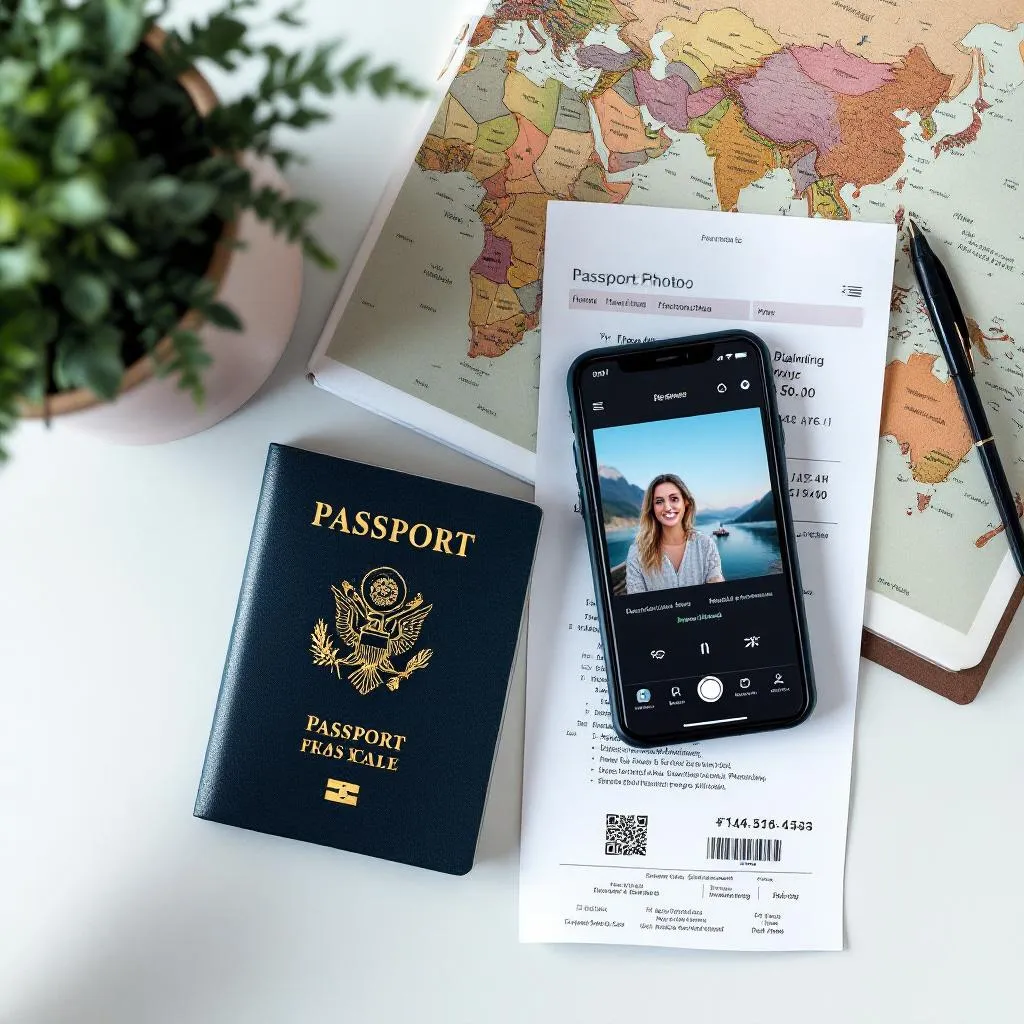
There's a fourth option now. AI passport photo generators. You upload a selfie, the software generates a compliant photo with correct dimensions, background, and head positioning. The whole thing takes about 60 seconds. That's what Recreto does. But the real question most people have isn't "does this exist?" -- it's "does it work for MY country?"
Good question. Countries are weirdly specific about passport photos.
What an AI passport photo generator actually does
Worth explaining briefly, because "AI photo generator" covers everything from meme makers to deepfake tools, and passport photos are none of those things.
Here's the process: you upload a regular photo of yourself. Decent lighting, face clearly visible, front-facing. The AI generates a new image that looks like you sat in a professional photo studio -- even lighting, correct background color, neutral expression, formal appearance. It's not slapping a white background behind your selfie. It's generating a new photo from scratch, using your face as reference.
The important part for passport photos: the output has to meet specific government requirements. Dimensions. Background color. Head size relative to the frame. Margin above the head. Whether your ears need to be visible. (Yes, some countries care about ears.)
Recreto handles this by storing the exact specification for each supported country and building those constraints into the generation prompt. When you pick "United States," the system knows it needs a 51x51mm square photo with a white background where your head occupies 50-69% of the frame height. Pick "China," and it switches to 33x48mm with specific head width and height requirements.
No manual cropping on your end. No guessing.
Country-by-country specs: the full breakdown
This is the part you probably scrolled here for. I'll go through each supported country with exact dimensions, background requirements, and the quirks that trip people up.
United States
- Dimensions: 51 x 51mm (2 x 2 inches)
- Aspect ratio: 1:1 (square)
- Background: White or off-white
- Head size: 25-35mm, occupying 50-69% of frame height
- Other: Clear space above the head. No shadows.
The US is one of the few countries that uses a square format. Most of the world uses a rectangular 35x45mm standard. This means you can't just crop a US passport photo for a Japanese application or vice versa -- the proportions are fundamentally different.
The State Department is also strict about shadows. Not just on your face -- on the background too. If there's even a subtle gradient behind your head, it can get flagged. This is actually where AI generation has an advantage over physical photo booths: the background is rendered perfectly uniform every time. No rogue lamp casting shadows.
South Korea
- Dimensions: 35 x 45mm
- Aspect ratio: 3:4
- Background: White
- Head size: 32-36mm from chin to crown, face ratio 70-80%
- Other: Ears should be visible if possible. No glasses.
Korea's specs look standard on paper, but the face ratio requirement is strict. Your face needs to fill 70-80% of the frame. Too zoomed out and it gets rejected. The Korean Immigration Service has an online checker that measures this algorithmically, so there's no charming your way past it with a smile. (Also, don't smile. Neutral expression only.)
Japan
- Dimensions: 35 x 45mm
- Aspect ratio: 3:4
- Background: White
- Head size: 32-36mm
- Top margin: 2-6mm above the head
- Other: Color photo only (no black and white). Must be taken within last 6 months.
Japan specifies a precise top margin: between 2mm and 6mm of space between the top of your head and the edge of the photo. Too little space? Rejected. Too much? Also rejected. This is one of the harder specs to nail with a manual crop, but straightforward for software that can calculate pixel distances.
China
- Dimensions: 33 x 48mm
- Aspect ratio: 2:3
- Background: White
- Head width: 15-22mm
- Head height: 28-33mm
- Other: Both ears must be visible.
China uses an unusual dimension -- 33x48mm -- that doesn't match any other major country. The ear visibility requirement is also enforced more strictly than in most places. If your hair covers your ears, you'll need to tuck it back before taking your input photo. No amount of AI can hallucinate ears that are hidden behind hair. (Well, it could. But it shouldn't. And Recreto doesn't.)
EU / Schengen
- Dimensions: 35 x 45mm
- Aspect ratio: 3:4
- Background: Light gray (recommended)
- Head size: 70-80% of frame
- Other: ICAO biometric compliant.
The EU is interesting because there isn't a single standard -- each member state can have slight variations. Germany, for instance, is notoriously strict. France is a bit more relaxed. The Schengen-wide baseline follows ICAO Doc 9303, the international standard for machine-readable travel documents.
One thing that catches people off guard: the EU recommends a light gray background, not white. It's subtle, but if you submit a US-style pure white background for a German passport photo, some offices will flag it. Recreto generates a light gray background specifically for EU/Schengen selections.
United Kingdom
- Dimensions: 35 x 45mm
- Aspect ratio: 3:4
- Background: Cream or light gray
- Head size: 29-34mm
- Other: Must be taken within the last month.
The UK wants cream or light gray -- specifically not pure white. The "taken within the last month" rule is also worth noting. With an AI generator, the photo is new by definition, so that box is checked automatically. Though if you upload a selfie from three years ago and look noticeably different now... maybe don't do that.
Canada
- Dimensions: 50 x 70mm
- Aspect ratio: 5:7
- Background: White or light-colored
- Other: Full front view of head and shoulders.
Canada's 50x70mm format is the largest among the countries listed here. The photo needs to show more of your shoulders than most other countries require. This matters for the input photo you upload -- if you take a tight face-only selfie, there won't be enough shoulder context for the AI to work with.
Australia, India, Thailand
| Country | Dimensions | Ratio | Background |
|---|---|---|---|
| Australia | 35 x 45mm | 3:4 | White |
| India | 51 x 51mm | 1:1 | White |
| Thailand | 35 x 45mm | 3:4 | White |
Australia follows the standard 35x45mm format. India, like the US, uses a 2x2 inch square. Thailand also uses 35x45mm with a white background. These three are relatively straightforward -- no unusual background colors or strict ear-visibility rules.
India does specify 80% face coverage, which is higher than most countries, so the AI needs to frame the face tighter than usual.
Quick count: Recreto currently supports 10 country specifications. That covers the majority of passport applications worldwide. If your country isn't listed, the ICAO standard (35x45mm, white background) works for most nations.
How Recreto handles compliance
Generating a nice-looking photo is the easy part. Making it compliant is where things get specific.
When you select a country in Recreto, three things happen automatically:
1. Aspect ratio and dimensions lock in. A US photo generates at 1:1. A Japanese photo generates at 3:4. A Chinese photo generates at 2:3. You don't pick this -- it's determined by your country selection.
2. Background color adjusts. White for most countries. Light gray for EU/Schengen. Cream for the UK. The AI prompt includes the exact background specification, so the generated image has the correct color baked in. No post-processing needed.
3. Head positioning and margins. The prompt includes country-specific guidance on head size relative to the frame, top margins, and whether ears need to be visible. The AI aims for centered, proportionally correct placement.
The system also applies some universal quality touches: even studio lighting, no shadows on the face or background, neutral expression, formal appearance, and a "soft-focus beauty effect" on skin and hair. That last part might sound vain, but passport photos are legally required to be a clear, accurate representation of your face -- not a glamour shot. The effect is subtle. You'll look like yourself, just... on a good day.
This is kind of a tangent, but -- Iceland and the smile ban
Speaking of passport photo rules, here's a weird one. In 2006, Iceland banned smiling in passport photos. Full neutral expression only. Makes sense -- biometric scanners struggle with open mouths and squinted eyes.
But then in 2018, the Icelandic government reversed the ban. You could smile again. Not a toothy grin -- a "closed mouth, natural" smile. The reasoning? People found it psychologically difficult to maintain a perfectly neutral expression, and the resulting photos looked unnatural. The government basically said, "Fine, you can look slightly happy."
Most countries still require neutral expressions, though. Japan, Korea, and the US all want you looking like you're waiting at the DMV. Which, given the context, is appropriate.
Anyway. Back to the practical stuff.
Will it actually get accepted?
The honest answer: almost certainly yes, with caveats.
Most passport offices around the world now accept digital photos. The US State Department has accepted digital submissions since 2022. Korea's online passport renewal system takes digital uploads. The UK has been digital-first for years.
The AI-generated photo itself isn't the risk. Recreto's output meets dimensional and compositional requirements. The risk factors are:
Print quality. If you need to submit a physical photo (some countries still require this for in-person applications), you need to print the digital file correctly. A home inkjet printer on regular paper won't cut it. Use a photo printing service -- Walmart, Costco, or any print shop that can print on glossy photo paper at the exact dimensions.
Your input photo. If you upload a blurry selfie taken in a dim bathroom, the AI output will reflect that. Garbage in, garbage out. You don't need a professional camera -- a modern phone in good lighting works fine. But "good lighting" means natural daylight or a well-lit room, not a nightclub bathroom at 2am.
Resemblance. The photo needs to look like you. AI generation preserves your facial features, but if you upload a photo where you're wearing heavy makeup, sunglasses, or a hat, the output might not match what you look like at the immigration counter. Keep it simple.
I've used AI-generated passport photos twice -- once for a Korean visa application, once for a US passport renewal. Both were accepted without issue. A friend used one for a UK visa and also had no problems. That's anecdotal, obviously, not a guarantee. But the specs are the specs, and if the photo meets them, it meets them.
The money part
Here's where it gets hard to justify the drugstore trip.
| Option | Cost | Time | Quality |
|---|---|---|---|
| Walgreens | $14.99 | 20-30 min (including drive) | Varies. Depends on who's working. |
| CVS | $16.99 | 15-25 min | Self-service kiosk. Harsh lighting. |
| USPS (at post office) | $15.00 | Wait in line. You know what that's like. | Usually fine, but no retakes. |
| Costco | $5.99 (was $4.99 until 2024) | Need a membership. Print-only. | Decent, but you provide the file. |
| Photo booth (mall) | $10-15 | 5 min | The camera is fixed. You move your face to it. |
| Recreto (Pro pack) | ~$0.33/photo | Under 1 minute | Studio-quality. Unlimited retakes within credits. |
The per-photo cost at Recreto depends on which credit pack you buy. The Pro pack is $19.99 for 60 credits, which works out to about $0.33 per generated photo. The Starter pack is $9.99 for 20 credits ($0.50 each). The Studio pack is $39.99 for 150 credits ($0.27 each).
You also get a free trial photo without signing up, so you can see the result before spending anything.
Now, to be fair -- if you only need one passport photo once every ten years, the per-photo cost comparison is misleading. You're not buying 60 passport photos. You're buying 60 credits that work for passport photos, LinkedIn headshots, resume photos, profile pictures, whatever. The passport photo is one use case among many.
But even comparing the one-time cost: $14.99 at Walgreens versus $0.33 at Recreto. That's a 95%+ savings. And you didn't have to put on pants or drive anywhere.
Tips for the best input photo
Your output is only as good as your input. Here's what actually matters:
Lighting. Face a window during the day. Natural light is the easiest way to get even illumination without shadows. If it's nighttime, sit facing a bright desk lamp with a secondary light source to the side to reduce harsh shadows.
Background. Doesn't matter much -- the AI replaces it entirely. But a busy background can sometimes confuse the face detection, so a simple wall is safer than a crowded coffee shop.
Expression. Neutral. Mouth closed. Eyes open. Look directly at the camera. Yes, you'll feel silly doing this for a selfie. Do it anyway.
Hair. If your country requires visible ears (China, Korea), pin your hair back. The AI can't move hair out of the way.
Clothing. Wear something with a collar -- a button-up shirt or blouse. The AI will render your shoulders in formal attire, but giving it a head start with actual formal clothing produces more natural results.
Distance. Hold the phone at arm's length or prop it up with a timer. Head-and-shoulders framing. Not a close-up of your face, not a full-body shot.
Camera. Your phone's front camera is fine. Just make sure the lens is clean. (When's the last time you wiped your phone camera lens? Exactly.)
So which countries can you actually use this for?
Ten countries right now: US, South Korea, Japan, China, EU/Schengen, UK, Canada, Australia, India, and Thailand. That covers the vast majority of passport and visa applications that English-speaking and Asian travelers encounter.
The specs are pulled from official government sources -- ICAO documentation, the U.S. State Department, Korea's Ministry of Foreign Affairs, and so on. They're not approximations.
If you need a passport photo for a country not on the list, the generic ICAO standard (35x45mm, white background, 3:4 ratio) is accepted by most nations that follow international biometric standards.
I'll be straight with you: AI passport photos aren't magic. They won't fix a bad input photo, and they can't guarantee that a particular embassy clerk won't find something to object to. (Some of them will object to anything. That's a human problem, not a technology problem.)
But for the price, the speed, and the consistency of the output -- it's hard to argue against at least trying it.
Try a free passport photo at recreto.com -- pick your country and see the result before you decide.