
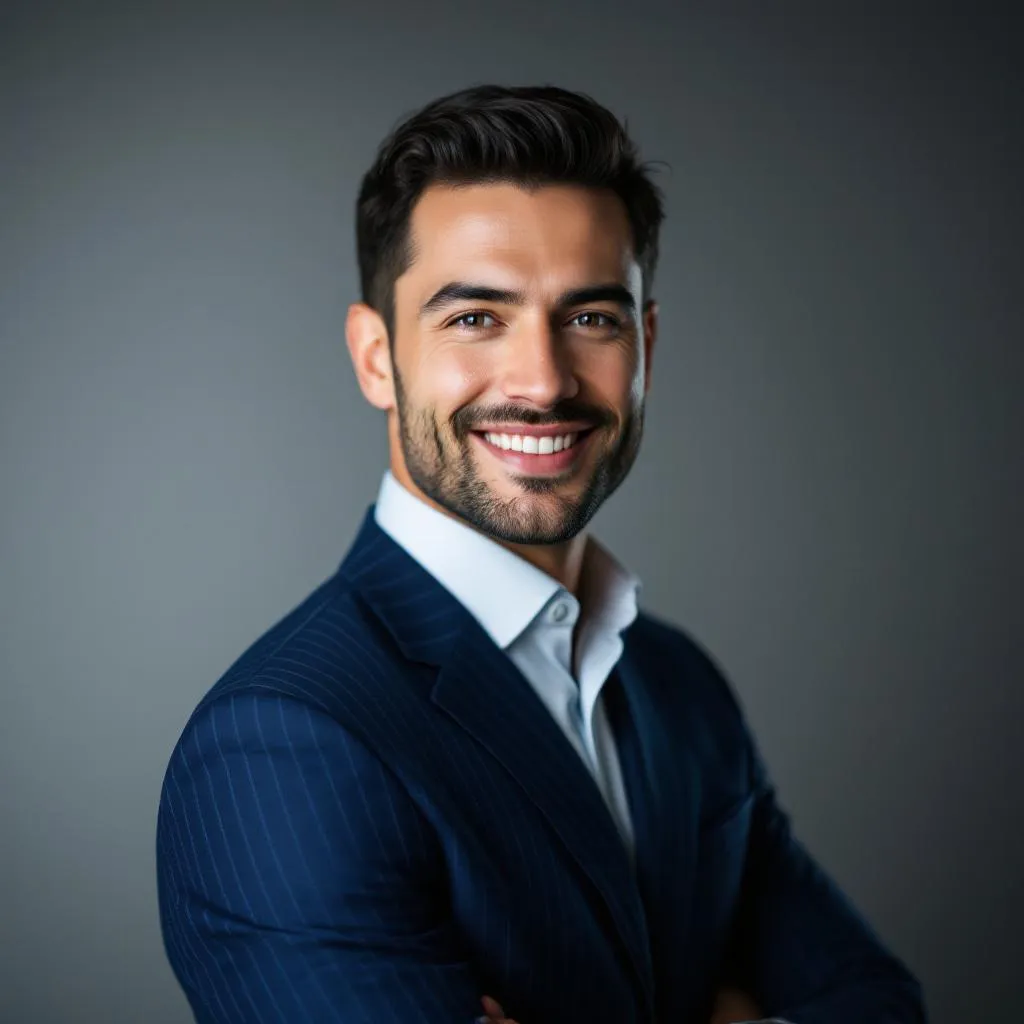
How to Get Studio-Quality Headshots Without a Photographer
Last October, I was staring at my LinkedIn profile at 11 PM on a Sunday. The photo was from 2023. I had a beard now. Different glasses. Honestly, a different face — the kind of slow drift that happens when you don't take photos of yourself for three years.
My friend said what friends always say: "Just book a photographer."
I didn't.
Not because I'm lazy. Okay, partly because I'm lazy. But also because the whole process felt absurd for one photo. Book a session, drive somewhere, sit in a chair while a stranger tells you to "relax your shoulders" (which has never once made anyone relax their shoulders), wait a week for edits, pay somewhere between $50 and $200, and hope you don't look like a hostage.
There had to be a better way. And in 2026, there is. AI headshot generators have gotten genuinely good — not "good for AI" good, but actually usable-on-your-resume good. I've been testing them for months now, and I want to share what I've learned. Including the failures. Especially the failures.
The Real Cost of Professional Headshots
Before we talk alternatives, let me break down what "just book a photographer" actually means in practice.
I priced out three studios in my area last fall:
- Budget option: $75 for a 15-minute session, 3 retouched photos. No outfit changes.
- Mid-range: $150 for 30 minutes, 10 retouched photos, 2 outfit changes.
- Premium: $250 for a full hour, unlimited outfit changes, 20+ retouched photos, makeup artist on-site.
That's the sticker price. Then add the invisible costs. Driving 40 minutes round trip to the studio. Blocking out 2 hours of your Saturday. Trying on four shirts the night before because you can't decide if the blue one makes you look approachable or just sad. Waiting 5-7 business days for retouched finals.
For someone who needs headshots regularly — realtors, consultants, anyone who updates their bio more than once a year — this adds up fast. A realtor friend of mine spends about $400/year on headshots because her brokerage wants seasonal updates. Four sessions. Four Saturdays.
The photos are great, sure. Studio lighting, professional retouching, the whole deal. But for most people who just need a decent LinkedIn photo? That's a lot of friction for one image.
What Changed in 2026 — AI Headshot Generators That Actually Work
Here's the thing about AI headshot generators even two years ago: they were a novelty. You'd upload 10-20 selfies, wait 30 minutes while a model trained on your face, and get back results that looked like you but also looked like someone tried to draw you from memory after meeting you once at a party.
The technology shifted hard in 2025 and 2026. The biggest change? Single-photo generation. No training step. No uploading a dozen photos from different angles. One photo in, professional headshot out.
This is a meaningful difference, not just a convenience thing. Training-based systems needed multiple photos to learn your face, and they'd often average your features in weird ways. Your nose would be slightly different. Your jawline would smooth out. You'd look at the result and think, "That's... someone who could be my sibling."
Single-photo generators like Recreto skip training entirely. They take your actual photo and re-render it with studio lighting, professional backgrounds, and retouching — but they keep your actual face. Same nose. Same jawline. Same you, just with better lighting.
The speed difference is wild too. Training-based systems: 20-40 minutes. Single-photo systems: under 60 seconds. I timed my last batch on Recreto at 47 seconds for 4 photos. That's less time than it takes to pick a filter on Instagram.
How It Works (The Short Version)
The process at Recreto is almost aggressively simple:
- Upload one selfie. Front-facing, decent lighting. That's it.
- Pick a style. Professional headshot, casual portrait, or passport/ID photo.
- Wait about 60 seconds.
- Download your photos.
No account required to try your first one. No credit card. You get a preview for free, and if you like it, you sign up to download the full resolution.
Pricing is credit-based and one-time — not a subscription, which I appreciate because I have enough subscriptions draining my bank account. The Pro pack is $19.99 for 60 credits, which works out to about $0.33 per photo. Compare that to $150 for a studio session where you get maybe 10 good photos at $15 each.
This is a kind of tangent, but the subscription model in AI tools drives me up the wall. I tried another AI headshot service last year that charged $29/month. I used it exactly twice, forgot to cancel, and paid $29 for four months of nothing. That's $116 for two photos. The per-photo cost of my own stupidity was $58 each, which is somehow more expensive than a real photographer. Credit-based pricing just makes more sense for something you use occasionally.
Anyway. Back to what matters.
Honest Quality Review — What Looks Great and What Doesn't
I'm not going to pretend every AI headshot is perfect. They're not. But the gap between AI and studio quality has narrowed to the point where most people can't tell the difference — if you start with a decent photo.
That last part matters a lot.
What Looks Great
Professional headshots are the sweet spot. The AI handles studio lighting, clean backgrounds, and subtle retouching really well. Skin looks natural, not plasticky. Eyes stay sharp. The "professional but approachable" vibe that photographers spend 20 minutes coaching you into? The AI just... does it.
I generated headshots for my LinkedIn, a conference speaker bio, and a client proposal last month. All from the same selfie I took at my desk. The LinkedIn one got a comment from a recruiter who said it "looked really polished." She didn't ask if it was AI-generated. She just thought I'd gone to a studio.
Casual portraits are solid too. Less formal lighting, more natural backgrounds. Good for social media profiles or About pages where you want to look human but not like you're posing for a corporate annual report.
What Doesn't Look Great (Garbage In, Garbage Out)
My first attempt looked like a wax figure. Turns out bathroom lighting is not studio lighting.
I took a selfie under the fluorescent light in my bathroom, one of those bluish overhead fixtures that makes everyone look slightly dead. The AI did its best, but the input was so flat and harsh that the output looked uncanny. Technically correct but emotionally wrong. Like a deepfake of myself that had never experienced joy.
The lesson: your input photo matters more than anything. Here's what I've learned through trial and error:
- Natural daylight, facing a window = best results by far. The AI has actual light and shadow to work with.
- Overhead fluorescent = flat, weird skin tones. Fixable but not ideal.
- Direct flash from your phone = harsh shadows, red eyes sometimes carry over. Avoid.
- Backlit (window behind you) = your face is a shadow. The AI can't invent detail that isn't there.
I tested the same outfit with four different lighting setups. The window-light selfie produced results I'd genuinely put on a business card. The bathroom selfie produced results I'd use as a Halloween avatar.
The Uncanny Valley Edge Cases
Teeth can be tricky. If your smile is wide and your original photo is slightly blurry, the AI sometimes generates teeth that look subtly off — too uniform, too white, or with slightly wrong proportions. It's not common, but it happens maybe 1 in 8 photos with a big smile.
Earrings and accessories occasionally get weird too. Small studs are fine. But I saw a friend's dangly earring get merged into her hair in one generation. Just... absorbed. Like her hair ate it.
Glasses are hit or miss depending on glare. If your original photo has glare on the lenses, the AI tries to fix it and sometimes creates a smudgy look instead. Taking the glasses off for the selfie and having the AI add them back isn't an option (yet), so just make sure there's no glare.
These aren't dealbreakers. You generate 4-5 photos, pick the best one, and move on. At about $0.33 per shot on Pro, trying a few times is cheaper than the parking at most photography studios.
When AI Headshots Make Sense (And When They Don't)
I'm not going to tell you AI headshots are always better. That would be dishonest, and also wrong.
AI headshots make sense when:
- You need a professional LinkedIn/resume photo and you need it today
- You're updating headshots for a team of 10+ people (the cost savings are massive — $19.99 Pro vs. $1,500+ for a group studio session)
- You hate having your photo taken (no awkward small talk with a photographer)
- You change your look frequently and want updated photos without booking a new session every time
- You need passport or ID photos and don't want to deal with CVS photo booths
Go to a real photographer when:
- You need photos for a major publication or press kit where scrutiny will be high
- You want creative, artistic portraits (unusual angles, dramatic lighting, environmental shots)
- You're an actor or model who needs a specific range of expressions and poses
- You want full-body or three-quarter shots (AI headshot generators are really just headshots)
- You genuinely enjoy the experience and want a set of 20+ varied shots
The sweet spot for most professionals: use AI for your everyday headshot needs, and book a photographer once every 2-3 years for a proper portfolio refresh.
The Simple Math
Here's where I land on this after months of testing.
A studio session costs $150 on average. You get maybe 8-10 retouched photos. You spend half a Saturday. The photos are excellent.
Recreto's Pro pack costs $19.99 one-time. You get 60 photos. You spend about 5 minutes total. The photos are very good — indistinguishable from studio shots in most professional contexts.
| Studio | AI (Recreto Pro) | |
|---|---|---|
| Cost | ~$150 | $19.99 |
| Photos | 8-10 | 60 |
| Per photo | ~$15 | ~$0.33 |
| Time investment | 3-4 hours (booking + travel + session + waiting) | 5 minutes |
| Turnaround | 5-7 business days | 60 seconds |
That's not a close comparison. It's about a 45x difference in per-photo cost and a ~300x difference in time.
You can try one free at recreto.com before deciding. No signup required for your first photo. See if the quality meets your bar, and go from there.
If the result looks off, it's probably your input photo. Find a window. Face it. Take a new selfie. Try again. That's the whole troubleshooting guide.
I still think professional photographers are worth it for certain situations. But for the 90% of cases where you just need a clean, professional headshot that doesn't look like it was taken by your laptop webcam during a Zoom call? AI handles it. Really well. And you don't have to put on real pants to do it.